

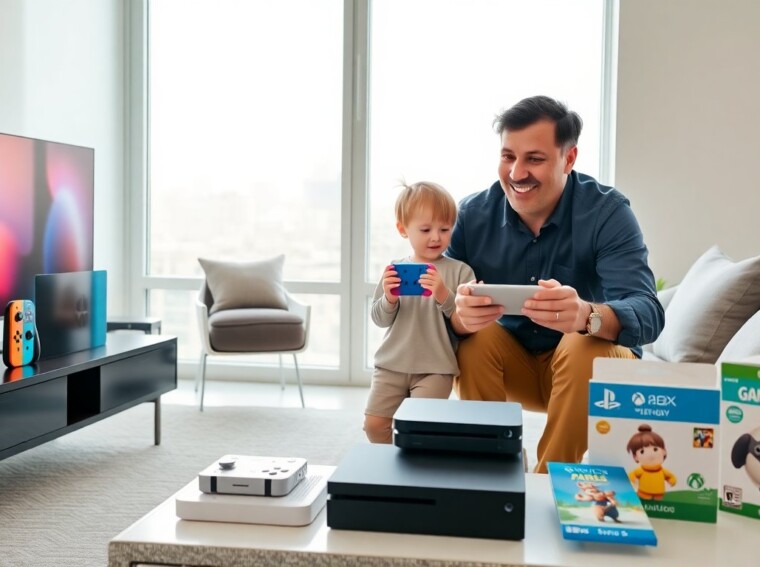
Parents choose a gaming console for kids when they want safe play, age-appropriate games, and easy parental control. This guide lists clear criteria for selection and compares top consoles. It helps parents pick a console that fits age, budget, and safety needs.
Key Takeaways
- Choosing a gaming console for kids requires matching the device to the child’s age, skills, and durability needs for safe, lasting use.
- Parental controls are essential; pick a console that offers screen time limits, purchase restrictions, and game rating filters to protect kids.
- Budget wisely by considering upfront console costs plus ongoing expenses like games, subscriptions, and accessories to avoid surprises.
- The Nintendo Switch OLED and Switch Lite are top kid-friendly consoles, with the OLED best for family play and the Lite ideal for solo handheld use.
- Portability and durability matter for kids’ consoles, especially for travel and younger users with smaller hands.
- Always verify game availability, warranty, and customer support to ensure the gaming console for kids delivers value and peace of mind.
How To Choose The Right Console For Your Child (Age, Durability, Parental Controls)
Parents should match a gaming console for kids to a child’s age and skills. Younger children need simple controls and durable hardware. Older children can handle systems with more complex controllers and a wider game library.
Parents should check parental controls before they buy. A console that lets parents set screen time, restrict purchases, and filter game ratings reduces risk. Parents should enable account-level controls and create child profiles.
Durability matters for a gaming console for kids. Parents should look for consoles with strong, compact designs and easily replaceable accessories. Controllers with simple shapes and rubber grips resist drops.
Portability helps families who travel. A lightweight console with a built-in screen or a handheld form helps keep children entertained on trips. Parents should weigh battery life and ease of charging.
Budget matters. Some consoles cost less up front but charge more for online services and games. Parents should compare total yearly costs: console price, games, subscriptions, and accessories. A clear budget prevents surprise expenses.
Parents should consider game availability for a gaming console for kids. A healthy library of rated-E and family titles gives better value. Parents should pick systems that offer educational and creative games, not just action titles.
Parents should read warranty and customer support options. A console with an extended warranty or easy repair service saves money if kids damage hardware. Parents should register the device and note return windows.
Top Console Options For Kids — Pros, Cons, And Ideal Age Ranges
This section lists top options for a gaming console for kids. Each option includes pros, cons, and the best ages.
Nintendo Switch / OLED model
Pros: The Switch offers handheld and docked play. Parents get many family-friendly titles and simple controls. The console supports robust parental controls and has Joy‑Con controllers that detach for shared play.
Cons: The screen can scratch and Joy‑Cons can drift after heavy use. Some first‑party games cost more.
Ideal age: 4–12 for handheld family play: 10+ for solo play.
Nintendo Switch Lite
Pros: The Switch Lite costs less and feels sturdy in small hands. It has the same game library as the main Switch for many family titles.
Cons: It lacks TV output and removable Joy‑Cons. It limits local multiplayer without extra controllers.
Ideal age: 4–10 for solo handheld play.
PlayStation (Slim model)
Pros: Sony offers parental controls, strong first‑party games, and high-quality hardware. The PlayStation store lists many family and educational titles.
Cons: The system focuses on older teen games and costs more. Subscriptions add monthly fees.
Ideal age: 10+ for supervised play: 13+ for wider game choices.
Xbox Series S
Pros: The Series S offers fast load times and Game Pass, which provides many kid-friendly games for one monthly fee. Xbox Family Settings let parents limit time and content.
Cons: The console ties strongly to online services and needs a reliable internet connection for full value.
Ideal age: 8+ with parental guidance: 12+ for independent use.
Nintendo Switch Lite vs Switch OLED quick note
Parents should pick the OLED Switch for family play with a TV and group sessions. Parents should pick the Lite for lower cost and solo handheld use. Both qualify as a gaming console for kids with abundant family titles.
Handheld-only options (e.g., Steam Deck Lite-style devices and dedicated kids’ handhelds)
Pros: Handhelds fit small hands and reduce TV time. Many handheld stores offer parental controls and curated kid libraries.
Cons: Many handhelds require strong online accounts and lack local multiplayer. Some have short battery life.
Ideal age: 6–12 for portable play and travel.
Tablet with controller bundles
Pros: Tablets run many kid apps and streaming game services. Parents can restrict purchases and set time limits in tablet settings.
Cons: Tablets expose kids to apps outside gaming and sometimes to ads. Parents must manage device permissions closely.
Ideal age: 3–8 for educational games: 8+ for light gaming with a controller.
Key trade-offs parents should note
Parents choose a gaming console for kids by balancing cost, control, and content. Low-cost consoles may require game purchases or subscriptions. High-end consoles give richer experiences but cost more up front. A console with a large library of rated-E games gives the best immediate value for families.
Parents should register accounts, set parental controls, and pick family-friendly subscriptions. These steps keep a gaming console for kids safer and more affordable for regular play.
Budget-Friendly, Kid-Friendly, And Parental-Control Highlights For Each Option
This section lists quick highlights for parents who want a fast decision.
Nintendo Switch OLED
- Budget note: Mid-range price with long-term value from first‑party games.
- Kid-friendly: Strong family library and co‑op play.
- Controls: Built-in parental app and child account options.
Nintendo Switch Lite
- Budget note: Lower entry price, same core games.
- Kid-friendly: Solid handheld ergonomics for small hands.
- Controls: Basic parent controls via Nintendo account.
PlayStation Slim
- Budget note: Higher initial cost: sales reduce price periodically.
- Kid-friendly: Large family and educational catalog.
- Controls: Granular age and purchase limits through Family Management.
Xbox Series S
- Budget note: Lower cost than premium consoles: Game Pass adds value.
- Kid-friendly: Many rated-E titles on Game Pass.
- Controls: Xbox Family Settings app for time and content limits.
Handheld devices
- Budget note: Wide price range: some dedicated kids’ handhelds are very affordable.
- Kid-friendly: Designed for travel and small hands.
- Controls: Varies by maker: check built-in parental options.
Tablet + Controller
- Budget note: Tablets have broad price options: free apps reduce cost.
- Kid-friendly: Good for educational apps and light games.
- Controls: Use tablet OS controls and app restrictions.
Quick buying checklist for parents
- Confirm age ratings on key games.
- Check parental control depth and ease of use.
- Estimate yearly cost for games and subscriptions.
- Inspect controller durability and spare parts cost.
- Read warranty and return policy.
Parents who follow this checklist will reduce surprises. They will pick a gaming console for kids that fits budget, age, and safety needs.